
How to Install LoveManiac: Complete Android & PC Setup Guide
Follow this verified step-by-step tutorial to download, install, and configure LoveManiac across Android mobile devices and Windows computers safely and smoothly.
Installation Quick Reference
Step 1: Download the Verified Build Package
Select your platform below to download the latest authenticated build of LoveManiac. The game is developed by Team Nebula using the lightweight Godot engine, ensuring high performance across devices.
Step 2: Installing LoveManiac on Android Devices
Because LoveManiac is an independent parody RPG distributed directly to the community, Android devices install it through standard APK sideloading. Follow these straightforward steps:
- 1Locate the Downloaded APK:
Open your mobile browser's Downloads list or launch your device's built-in Files / File Manager app. Tap the
lovemaniac-v0-3-6.apkpackage. - 2Enable "Install Unknown Apps" Permission:
Android will display a prompt stating "For your security, your phone is not allowed to install unknown apps from this source." Tap Settings on the dialog, toggle the switch to Allow from this source, then tap the Back arrow.
- 3Complete Installation:
Tap Install on the package installer prompt. Once completed, tap Open to launch LoveManiac directly or find the neon game icon in your app drawer.
- 4Configure Touchscreen Controls:
On the title screen, touch controls are activated automatically. For optimal responsiveness, ensure your display runs at 60 Hz or higher. For detailed mobile optimization tips, read our LoveManiac Android optimization guide and APK specification breakdown.
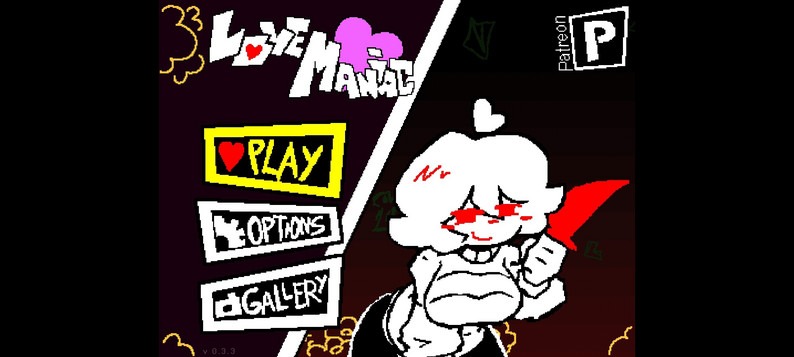
Step 3: Installing & Running LoveManiac on Windows PC
On Windows 10 and Windows 11 computers, LoveManiac is distributed as a portable standalone archive. No administrative setup wizard or registry modification is required.
- 1Extract the ZIP Archive:
Right-click the downloaded
lovemaniac-v0-3-6-pc.zipfile in File Explorer and select "Extract All...". Choose a clean destination directory (e.g.,C:\Games\LoveManiac\or Desktop) and click Extract. - 2Launch the Executable:
Open the extracted folder and double-click
LoveManiac.exe. - 3Bypass Windows SmartScreen (If Prompted):
If Windows SmartScreen displays "Windows protected your PC", click "More info" and select "Run anyway". This is standard behavior for newly released indie game binaries. Learn why in our file safety evaluation.
- 4Configure Display & Keymaps:
Press F11 or Alt+Enter to toggle between borderless fullscreen and windowed mode. Use the Arrow Keys or WASD for directional bullet-hell evasion. Explore full keybindings in our LoveManiac PC guide.
How to Update LoveManiac Without Losing Save Files
When new updates or patches are released (such as the v0.3.5 patch or upcoming Love Maniac 4.0 update), you do not need to restart your story progress:
Android Updates
Download the new APK version and tap it to install. Android's package manager will prompt: "Do you want to install an update to this app? Existing data will not be lost." Tap Update to overwrite the game code while retaining your complete progress.
Windows PC Updates
Extract the new version into your preferred directory. LoveManiac stores your profile, high scores, and gallery unlocks centrally at %APPDATA%\Godot\app_userdata\LoveManiac. The new executable reads your existing save automatically.
Common Installation Errors & Solutions
| Issue / Error Message | Platform | Primary Cause | Verified Solution |
|---|---|---|---|
| "App Not Installed" | Android | Conflicting signature or insufficient storage space | Uninstall older modified builds first and ensure at least 200 MB free internal memory. |
| "Parse Error / Problem Parsing Package" | Android | Incomplete download or unsupported OS version | Delete corrupted APK file and redownload over stable Wi-Fi. Requires Android 5.0+. |
| "VCRUNTIME140.dll / MSVCP140.dll Missing" | Windows PC | Missing Microsoft Visual C++ Redistributable | Install the official Visual C++ Redistributable x64 from Microsoft's official support site. |
| Black Screen on Launch | Windows / Android | Graphics driver incompatibility or background overlay | Update GPU drivers and disable third-party screen recorders or Discord game overlay. |
Installation Frequently Asked Questions
How do I enable "Install Unknown Apps" on Android 10, 11, 12, 13, 14, and 15?
Why does Windows SmartScreen show "Windows protected your PC"?
Will I lose my save files and unlocked gallery when updating to a new version?
%APPDATA%\Godot\app_userdata\LoveManiac, separate from the game executable directory. On Android, installing an updated APK directly over an existing installation preserves user data automatically.